A buyer’s guide for operators who store and ship other people’s stock.
Most software sold to third-party logistics operators is warehouse software with a customer field added. That difference is invisible in a demo and expensive in year two. This page sets out what genuinely separates 3PL software from a WMS, how the category is priced, and what to ask before you sign.
A warehouse management system answers one question well: where is the stock and how does it move. That is necessary and it is not sufficient, because a third-party operator has a second question running underneath every movement — whose stock was that, and who gets billed for touching it. Software built for a single owner treats the customer as a label on a pallet. Software built for a 3PL treats the customer as the axis everything else is organised around.
If a demo cannot show two clients billed differently for the same physical task, you are looking at a WMS.
The same SKU, the same bin, two owners, never commingled unless the contract allows it. Counts, adjustments and write-offs all resolve to an owner.
Storage, handling, pick, pack, carton, label and accessorials priced per client, with effective dates so last month re-runs at last month’s prices.
Invoice lines generated by what actually happened on the floor, not typed in afterwards from a spreadsheet of estimates.
Daily or period snapshots by pallet, location, cubic volume or weight — whichever the contract says — not one month-end count.
Clients see their own stock, orders and documents instead of emailing your operations desk for a status update.
Cut-off times, dispatch windows and accuracy targets defined per contract, measured automatically, and visible to both sides.
Orders arrive from each client’s own storefronts and marketplaces; shipments leave on each client’s own carrier accounts.
Your staff, your client’s staff and your client’s customers need three different levels of access, not one shared login.
Taking on a new client is a repeatable configuration exercise rather than a development project every time.
Three routes, each with a failure mode that only shows up later.
Fastest to a first client and the most predictable monthly cost. The trap is the contract you cannot price: every 3PL eventually signs a client whose rate card does not fit the vendor’s model, and at that point you are either negotiating a product change or running that client on a spreadsheet. Ask for the pricing engine’s limits in writing before you sign, not after.
Slower to start and far harder to outgrow, because the data model and the pricing rules are yours to extend. This suits operators who already know their contracts are unusual. The risk is treating it as a product rather than a project: without a clear scope it absorbs budget quietly.
Almost never right, and occasionally the only option — usually when the operation itself is the differentiator and no packaged model describes it. If you go this way, build the billing engine first and the screens second. Operators who build screens first discover eighteen months later that the money logic does not fit underneath them.
Four common models. None is wrong; each punishes a different kind of growth.
Predictable until you give clients portal access. Check whether client-side users count — if they do, your own transparency becomes a line item that grows every time you win work.
Scales with revenue, which feels fair, and means your worst-margin client costs the same per order as your best. Model it against your actual order mix before agreeing.
Comfortable for one large operation and punitive the moment you open a second small one. Ask what a 2,000 square foot overflow unit costs.
Simple to budget, and the tier boundaries are where the money is. Find out what triggers the next tier — orders, SKUs, users or sites — and how much notice you get.
Ask these during the demo, not in the reference call. Watch whether the answer is a feature or a workaround.
The fastest test of whether this is 3PL software at all. If it needs two systems or a manual adjustment, you have your answer.
Contracts get renegotiated. Without effective dates, every change becomes a manual credit note.
Portal access is the difference between an operations desk that answers questions and one that does work.
If the honest answer involves the vendor’s professional services team every time, your growth has a queue in front of it.
Re-labelling, kitting, photographs, pallet rework. The jobs that pay well are the ones most often done and never billed.
Format, scope, timescale, cost. A vendor confident in their product answers this calmly.
Not logos — a reference you can telephone, running comparable volumes and comparable contract complexity.
You are reading this on the site of a firm that builds 3PL systems, so weigh the self-assessment accordingly — but it is accurate, and more useful to you than another feature list. We suit operators from roughly five clients upward who have at least one contract that packaged software prices badly, and who want the billing logic to be something they can read and change. We configure open-source ERP with warehouse and billing rather than selling a closed platform, which means a longer start and a higher ceiling.
If a packaged platform fits you, we will say so in the assessment rather than quote you a project.
Use this as a checklist rather than a brochure. Whichever vendor you choose, these are the areas that have to be covered somewhere, and the ones most often missing sit near the bottom rather than the top. This is the full module set in MultiCommerce 3PL, the platform we build.
The whole operation on one page: what is late, blocked, full or unusual.
Raised, acknowledged and cleared, so a problem has an owner rather than a mention.
Perfect-order measurement — complete, on time, not returned through your fault.
Order-to-pick, pick-to-pack and pack-to-despatch timed separately.
By zone, client and bin, in volume, weight and units. Empty space is unsold space.
Revenue per client against modelled labour, rent and consumables.
What a client says is coming, so the dock counts against an expectation.
What actually arrived, against the notice, with the discrepancy visible at once.
Staging to bin, with the rule that chooses the bin and the moment stock becomes sellable.
Doors booked by day with no overlaps, so an unannounced lorry is visibly that.
One pass per vehicle in or out, with times, dock, pallets and weight recorded.
Import, export, bond and transhipment declarations with HS codes and duties.
Live balances by client, item, warehouse, bin and batch, with free-to-promise.
Every movement, written once and never edited. A correction is a new entry.
Write-ons and write-offs with a reason code, so variance has a cause.
Blind by default and posted through the ordinary ledger, not around it.
Licence plate, contents, weight, bin and status, with printable labels.
One row per physical unit, receipt through to the consignee it shipped to.
Every read kept, accepted or refused, resolving item, bin, pallet or order.
Every code an item answers to — EAN, UPC, case code, a client’s own.
B2C parcels, B2B cases and pallets, and transfers, each with its ship-by hour.
Reservations against free stock, FEFO then FIFO, so expiry-dated goods leave in order.
Seven strategies rather than one, because order shapes differ.
Walked in pick-sequence order, which turns a sheet into a route.
The package with its real and volumetric weight — what the carrier will charge on.
The carrier booking and the waybill, with failed bookings kept visible.
The day’s handover per carrier, with the paperwork that goes with it.
Every quote recorded with the one taken marked, from your own zones and bands.
Labelling, kitting, repacking, QC, wrapping and forklift time, captured as done.
Booked against the original despatch, graded and dispositioned by rule.
Assembly and breaking as a stock movement rather than a note.
The contract is the rate card: cycle, payment days, minimums, effective dates.
A line that applies only to a container type, vehicle, B2B or B2C, or palletised stock.
Every billable event as it happens, recording where its price came from.
Charged daily on what is actually in the racks, not on what was received.
One invoice from the period’s charges, less SLA credits, against the minimum.
Contract against catalogue pricing, unbilled ageing, and revenue by service.
Each brand whose goods you hold, with their storage mode and house terms.
Each client’s own ship-to list, with tax numbers and delivery windows.
The catalogue of extra work and its prices, per client or per catalogue.
Units per case, cases per layer, pallet type, stacking and storage class.
House rules layered on the item master, so one brand’s handling is not another’s.
Your own zone map and rate bands — what rate shopping actually works from.
Each carrier, its services, and its status vocabulary mapped to yours.
EA, CTN, PAL, KG and anything else, with conversions that hold.
Clients billed in their own currency, with rates the operator controls.
Shopify and WooCommerce natively, anything else through a generic adapter.
Webhook, scheduled pull or pasted payload, all landing in one orders table.
Quote, book, track and cancel behind one interface, with the call log kept.
850, 856, 945 and 846 in and out, in X12 and EDIFACT, with the message store.
Signed outbound events, queued then sent, so a client’s own system learns of changes.
Receipts, putaway and dock-to-stock time by client, warehouse and period.
Orders, picks, packs and despatches with the cycle broken into its stages.
Balances, movements, ageing and variance by client.
Charges raised, invoiced and outstanding, by client and service code.
Each contract’s promises against what was achieved, with the breaches named.
Contract against catalogue pricing, unbilled ageing, and revenue by service.
What the client sees on sign-in: their position at a glance.
Balances by item, batch and expiry, scoped by the session rather than a filter.
Every order and the stage it has reached, with tracking attached.
The client raising their own order, checked against free stock before acceptance.
Carrier, waybill and tracking, so they answer their own customers.
What they told you was coming, and what arrived against it.
Booked, graded and dispositioned, with what went back to sellable stock.
Each invoice opening into the charges behind it.
Their service levels against the contract — the same figures you see.
Logins created by an administrator, with no public signup.
A portal user is a platform user with a client attached, inheriting the scope.
The operator’s own structure, from country down to building.
Every position with its kind, storage class and capacity.
Who did what and when, across the application, kept rather than rotated away.
Six screens from MultiCommerce 3PL, chosen because they are the ones that answer the questions on this page. Tap any image to enlarge it.
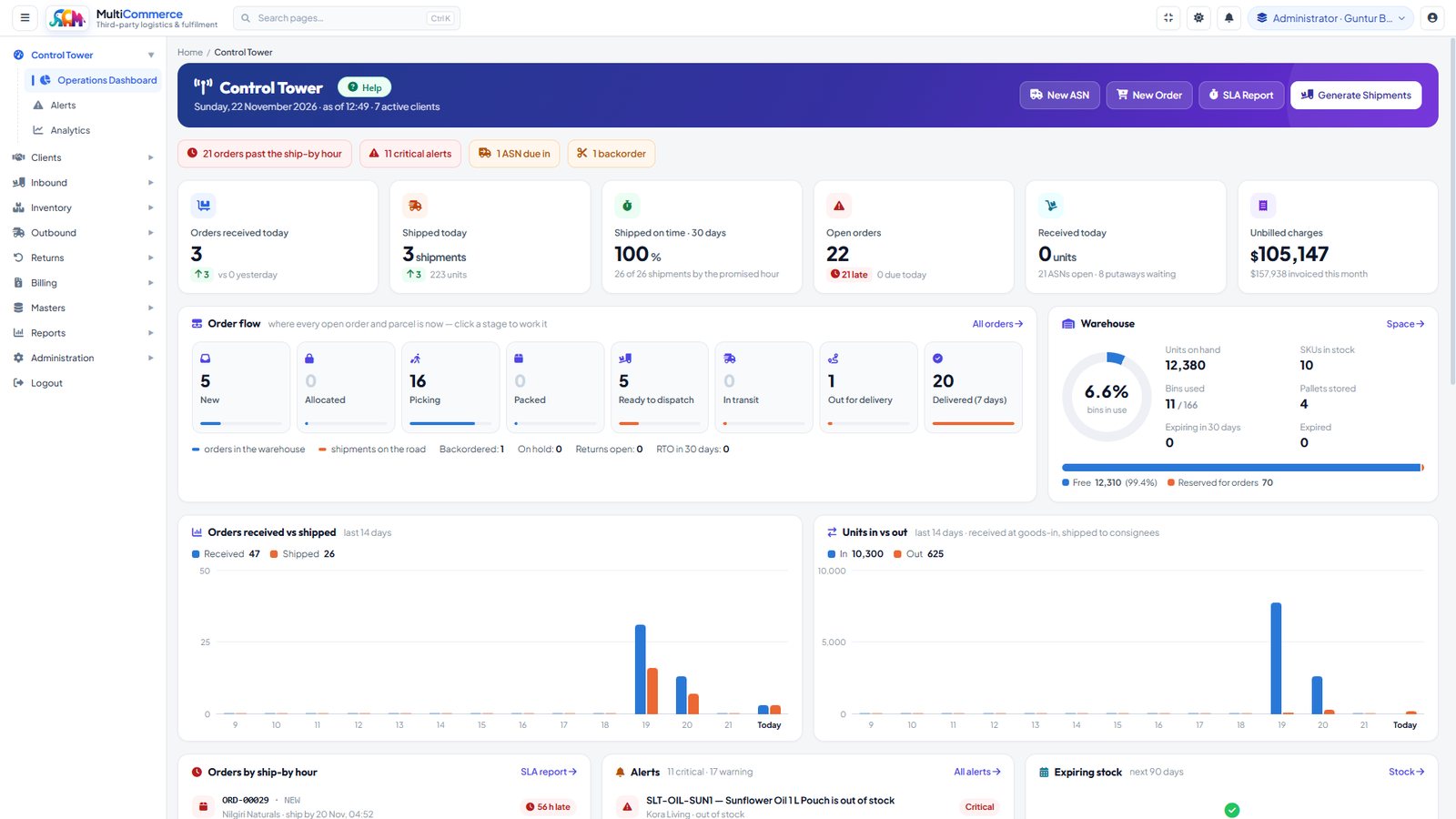
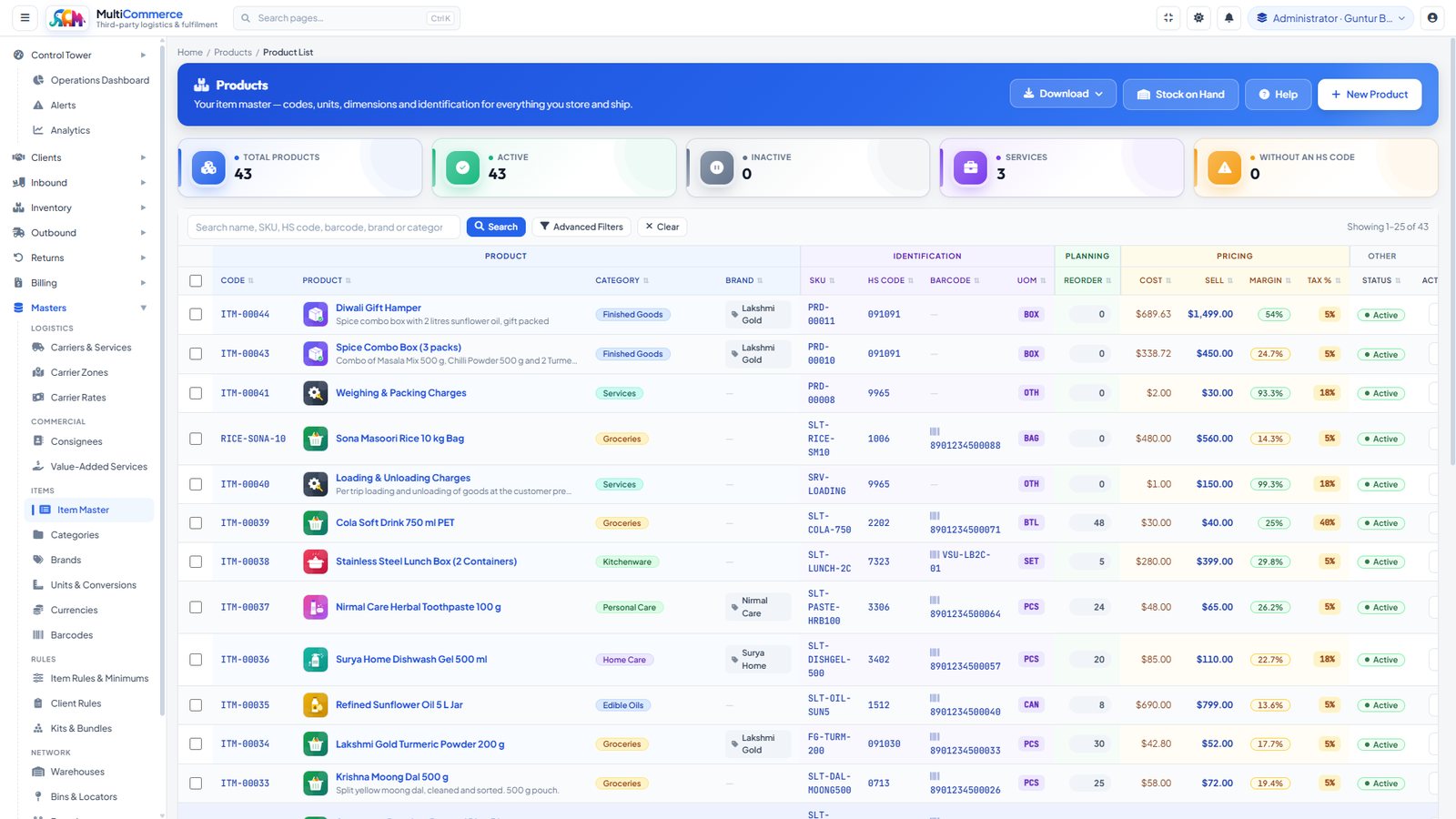
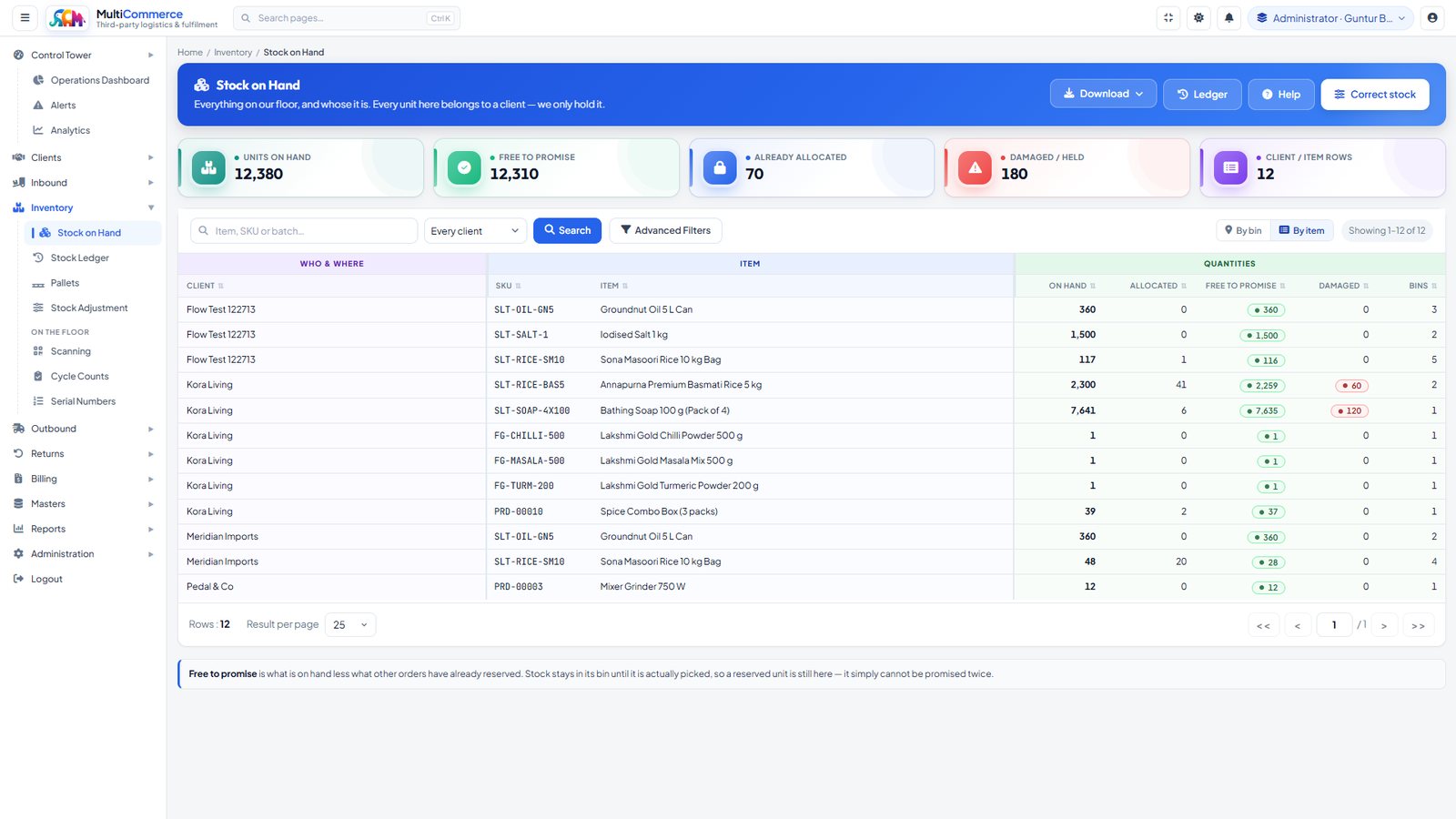
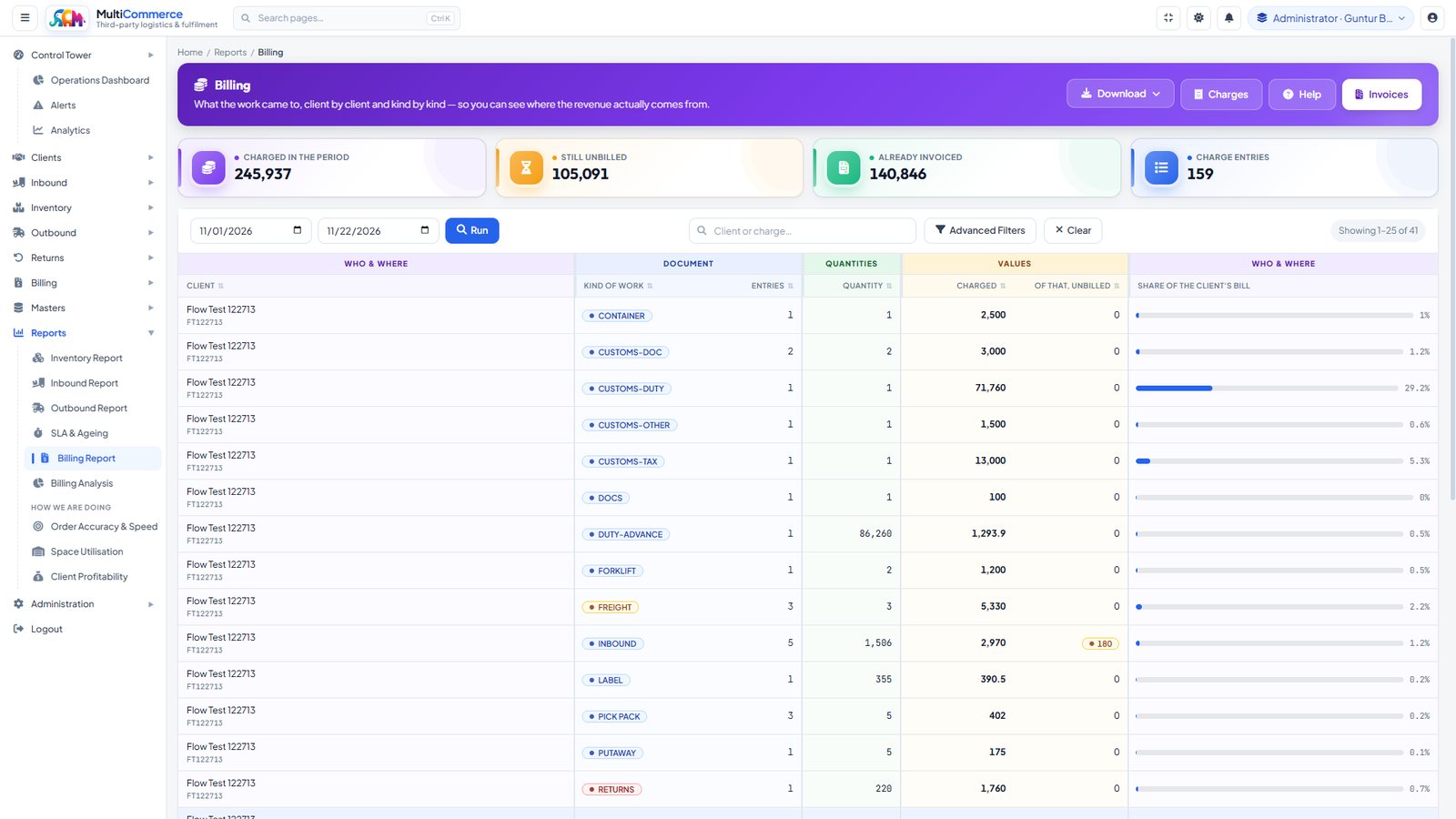
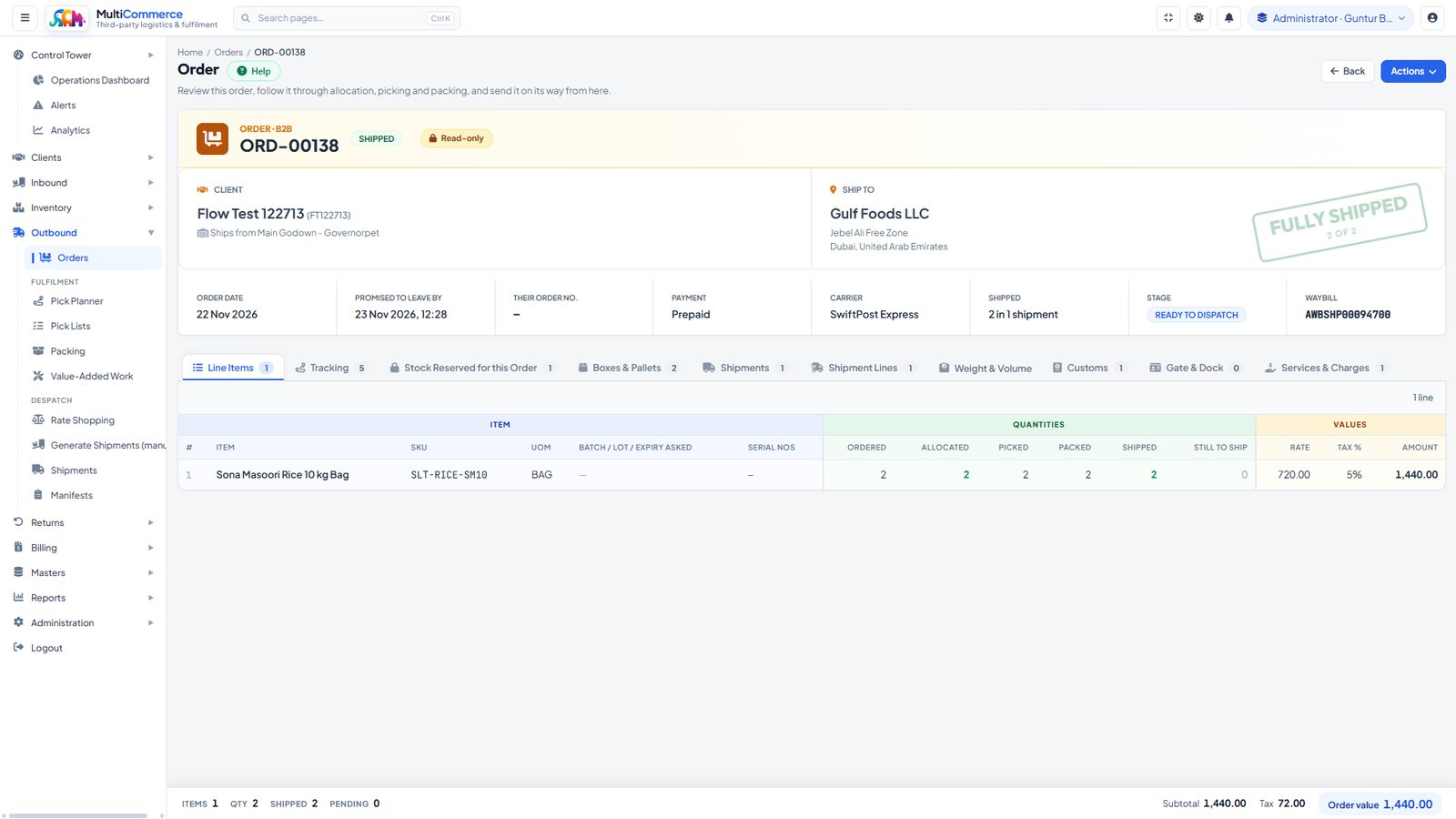
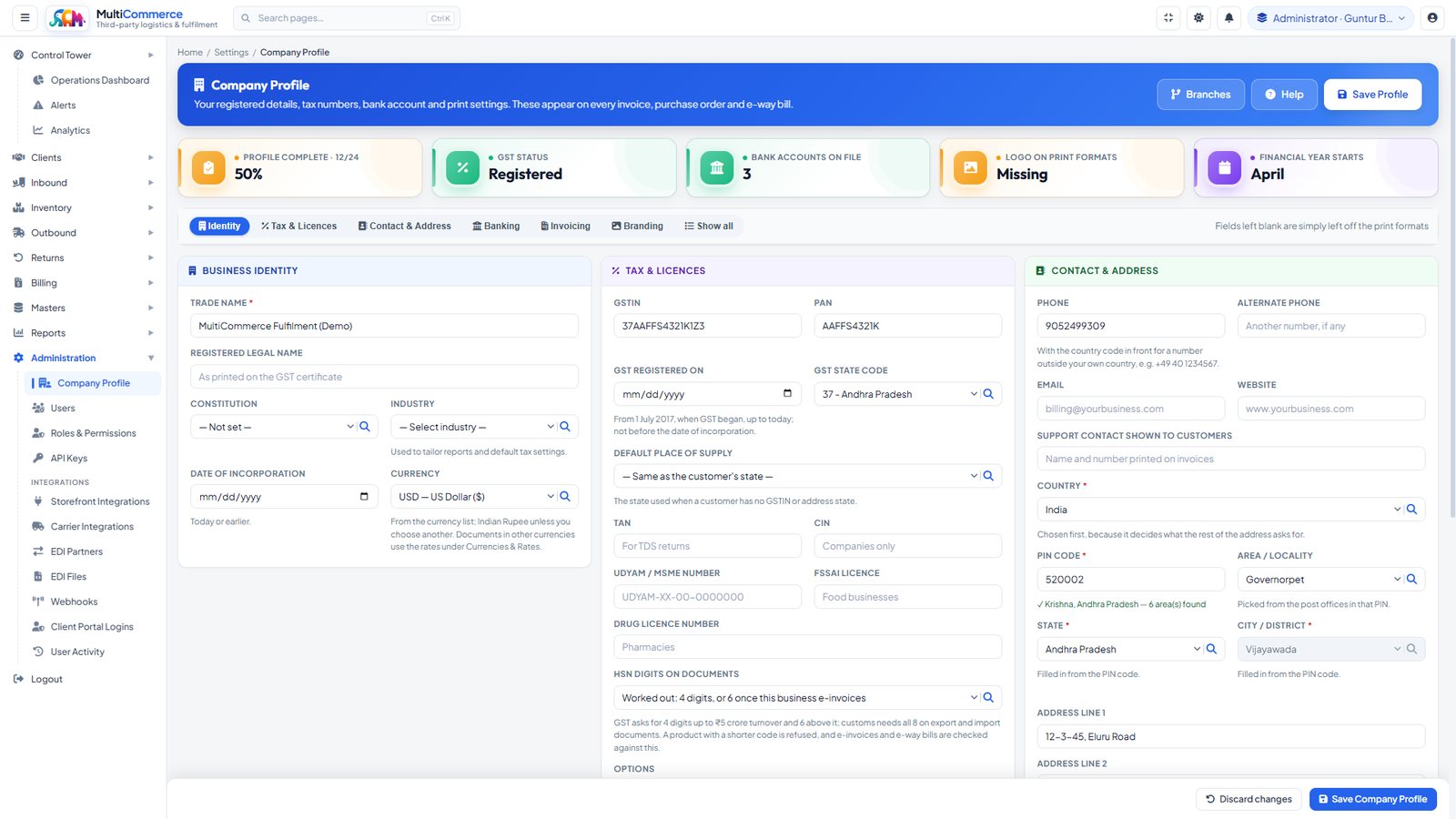
The platform we build: rate cards, picking strategies, billing capture and the client portal, module by module.
What changes once fulfilment, not storage, is the service you sell: SLAs, client separation and billing the work.
The same problem from the brand’s side — running your own fulfilment rather than outsourcing it.
Where warehouse control sits inside a wider ERP, for operators who own their own stock.
Send a real contract and a real month of volumes. You get the reconciliation and the findings, free.
